
The best way to supply a CD or DVD for duplication is send a physical Master disc. Create a Master disc, test it to ensure it works as expected and send it to us by post or carrier.
We can then make direct copies from your Master which will function exactly as per the original..
However, when time is short, clients ask about emailing files for us to create a master from. The problem is that it’s easy to accidentally introduce problems or issues because we don’t know exactly how the disc should work. Worse, you the client will not have an opportunity to OK it before the production run.
The solution is an ISO File.
An ISO file is an exact digital representation of your CD or DVD which means that it can be emailed for speed, but enable us to produce an exact version of your master CD or DVD. The process is like this:
- Create and test a physical CD or DVD Master disc using your computer CD burner.
- Create an ISO file from your Master using a software utility.
- Using the ISO file you have just created, burn a copy of your Master disc using a software utility or your burning software.
- Double check the contents & function of the copy with your original Master. They should be the same.
- If OK, email or FTP the ISO file to us for duplication.
It’s likely that the CD \ DVD Burning software that came with your computer has the ability to create and burn ISO files. If not there are a wide range of ISO creation tools available for download with a quick web search.
If you do need to download some software we use UltraISO.
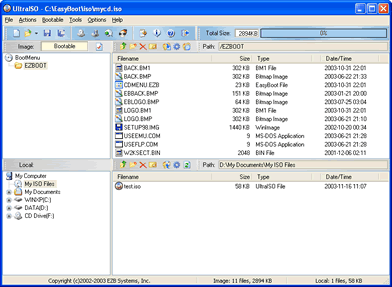
UltraISO Screen Shot.